Editing Knox topologies
Configure Knox topologies to define request proxy rules, token lifetimes, and per-user token limits for authenticated external access to Cloudera services.
- You must identify the username of the account responsible for generating the
CLIENT_IDandCLIENT_SECRET.
cdp-datashare-access Knox topology is
automatically deployed. Editing the token lifetime and the token allowance per user is
possible for each topology by adding the
KNOXTOKEN:knox.token.limit.per.user=[***TOKENLIMIT***]
parameter). The editing steps override the general settings in the Knox Gateway for a
specific Knox topology. You can add multiple topologies. For more information, see Add a custom descriptor to Apache Knox.-
Set the
KNOXTOKEN:knox.token.ttl=36000000value.Figure 1. Editing the default topology 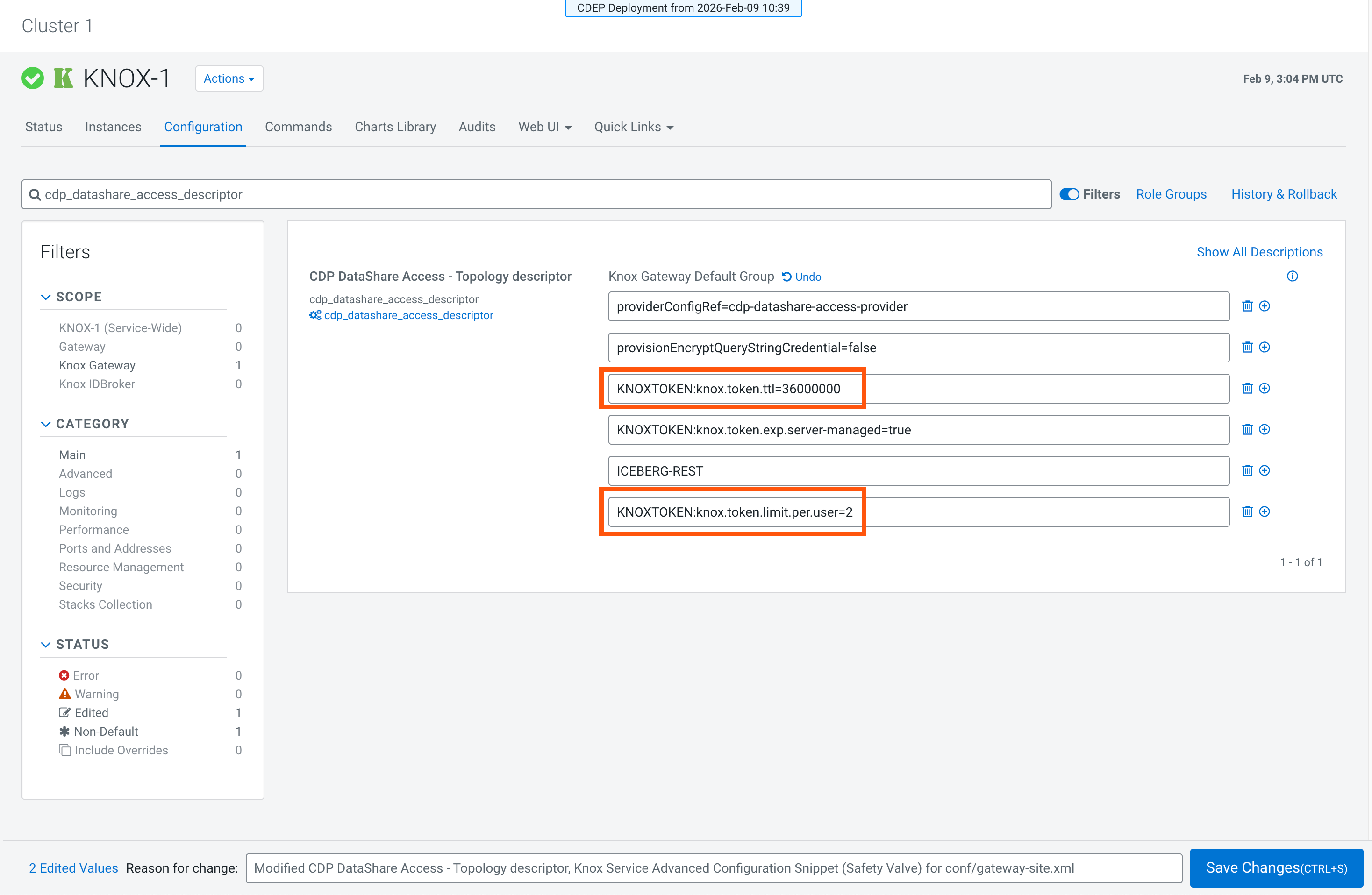
- Optional:
If additional users are needed, duplicate the marked section needs to be
duplicated to add the user in the
cdp_datashare_access_providerproperty.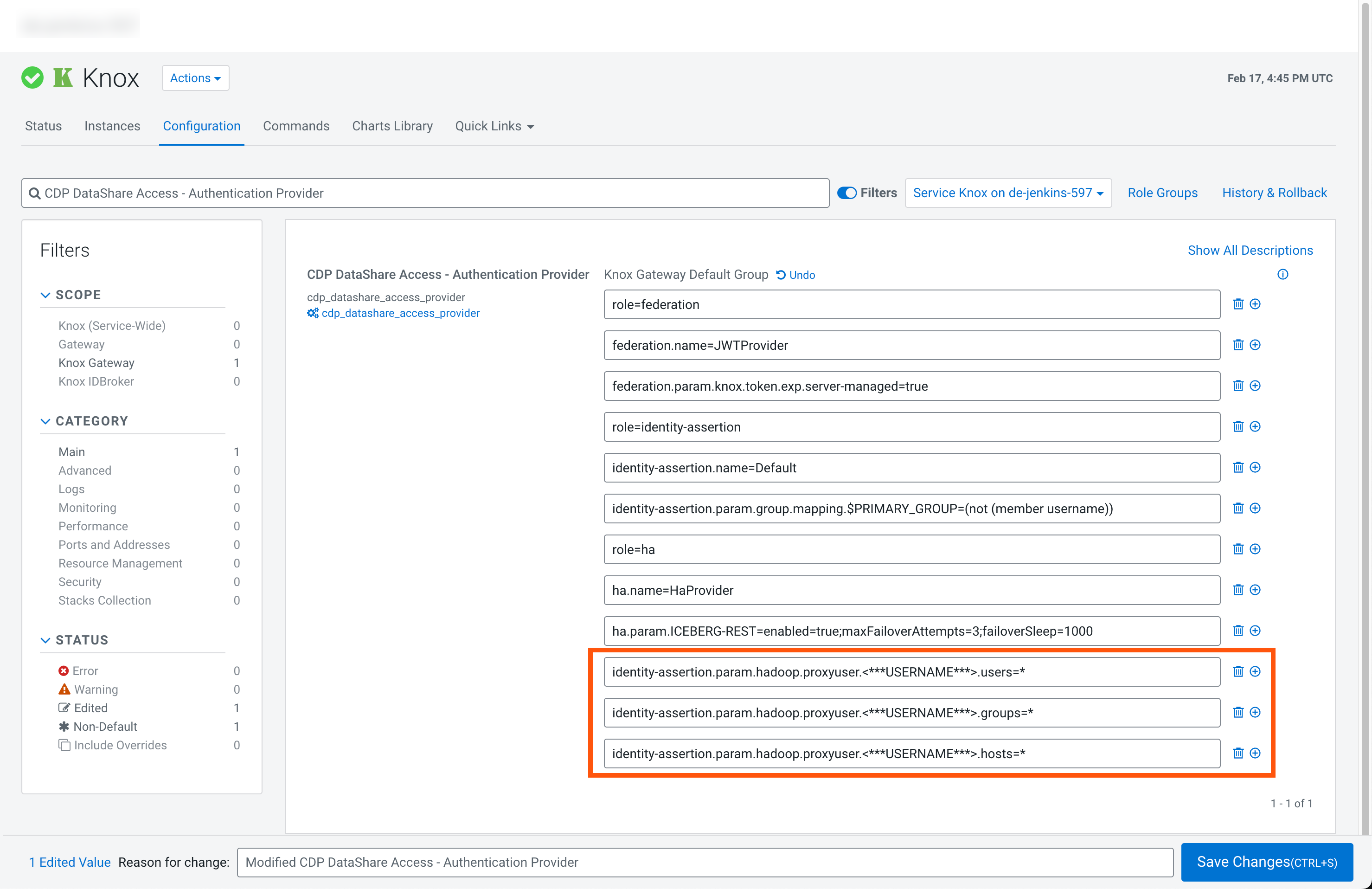
-
Click Save Changes and refresh the configuration.