Accessing and using Cloudera Data Explorer (Hue) in Cloudera Data Warehouse
Get started using Data Explorer by analyzing and visualizing your data with Impala and Hive SQL query engines.
Data Explorer uses your LDAP credentials that you have configured for the Cloudera cluster.
-
To run Impala queries:
-
On the Overview page under Virtual
Warehouses, click on the Data Explorer (Hue) button.
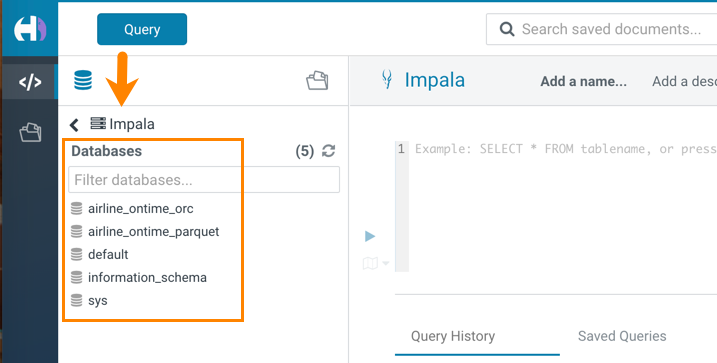
The query editor is displayed:
-
Type a query in the editor panel and click the run icon
 to run the query.
-
On the Overview page under Virtual
Warehouses, click on the Data Explorer (Hue) button.
-
To run Hive queries:
-
On the Overview page under Virtual
Warehouses, click on the Data Explorer (Hue) button.
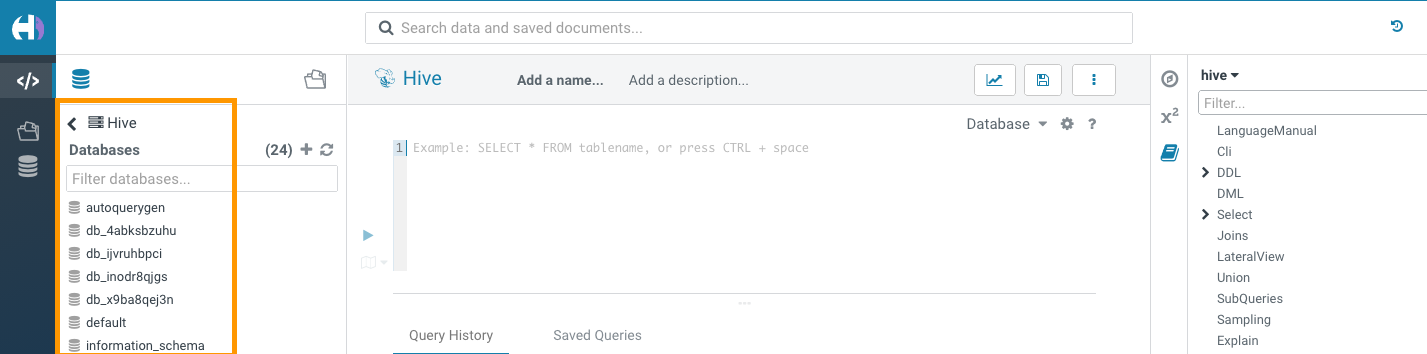
The Hive query editor is displayed:
-
Type a query in the editor panel and click the run icon to run the query.
-
On the Overview page under Virtual
Warehouses, click on the Data Explorer (Hue) button.
