Add source cluster as peer to use in replication policies
You must assign the source cluster to the target cluster as a peer to replicate the data. The Cloudera Manager Server that you are logged into is the target or destination for replicated data. From the target Cloudera Manager Admin Console, you designate a peer Cloudera Manager Server as a source from which to replicate data.
Minimum Required Role: Cluster Administrator (also provided by Full Administrator)
Adding a peer to use in replication policy
Before you replicate data from source cluster to destination cluster, you must connect the target Cloudera Manager instance with the peer (source Cloudera Manager), and then test the connectivity.
-
Go to the page.
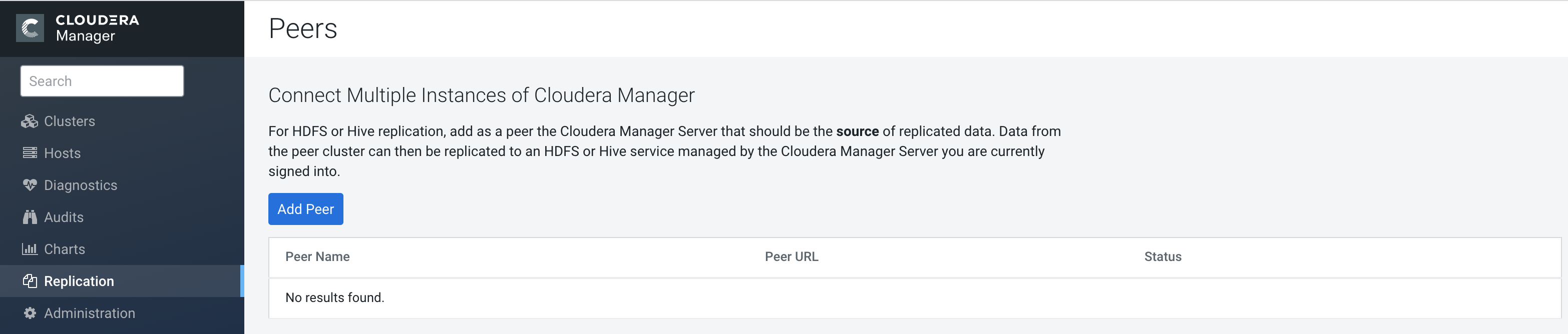
If there are no existing peers, Add Peer appears along with a short message. If peers already exist, they appear in the Peers list.The following sample image shows the Peers page:
Modifying peers to use in replication policy
After you add a replication source as a peer, you can modify or delete the peers as required.
Configuring peers with SAML authentication
If your cluster uses SAML Authentication, you can create a Cloudera Manager user account that has the User Administrator or Full Administrator role before you create a peer.
